
I get commissions for purchases made through links in this post.
In the age of being bombarded with ads, social media, content, video, and so much more, it’s more important than ever to be able to step back and focus. While notepads and books are an amazing way to get away from it all but still be able to work, its hard to ignore the fact that you might want to digitally backup your files, be able to do unlimited note taking, or be able to have something that replaces all of your paper in your life.
That is exactly where an eInk Digital Notebook comes into play! Quite a while ago, I started testing these pieces of tech out, and have been driving one or multiple of these daily since then. So here are my favorite digital notebooks I’ve tested.
Quick Note: All of these tablets were given to me by their respective brand, however no content was guaranteed. Everything is at my own discretion.
Jump to:
1. reMarkable Paper Pro Move
I get commissions for purchases made through links in this post.
- Its compact size is exactly what this premium tablet needed for most people
- The pricing is finally somewhat palpable
- They have the stylus (pen) down to an art now
- I struggle to recommend reMarkable to avid readers
- You can tell the processor speed isn’t as good as its larger sibling
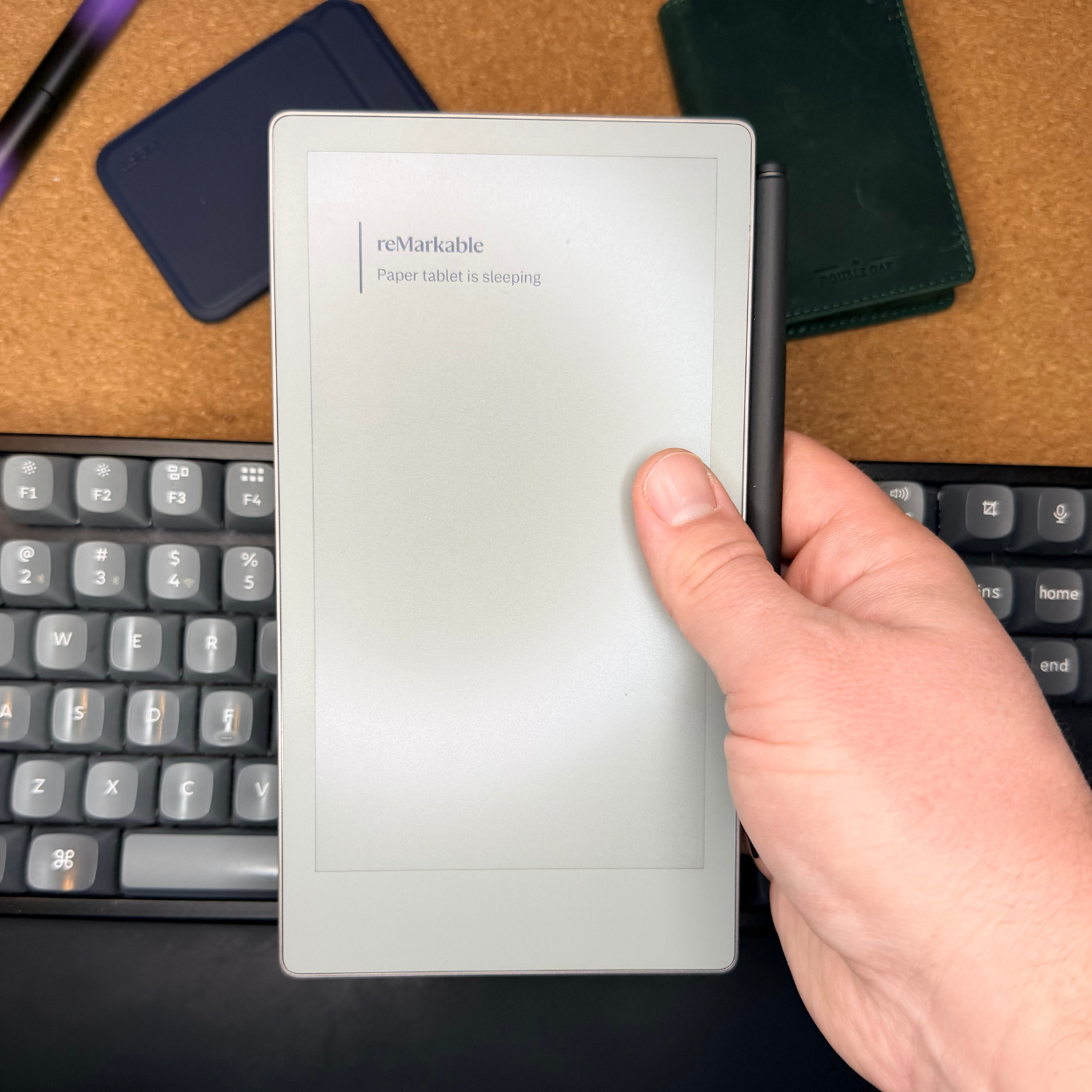
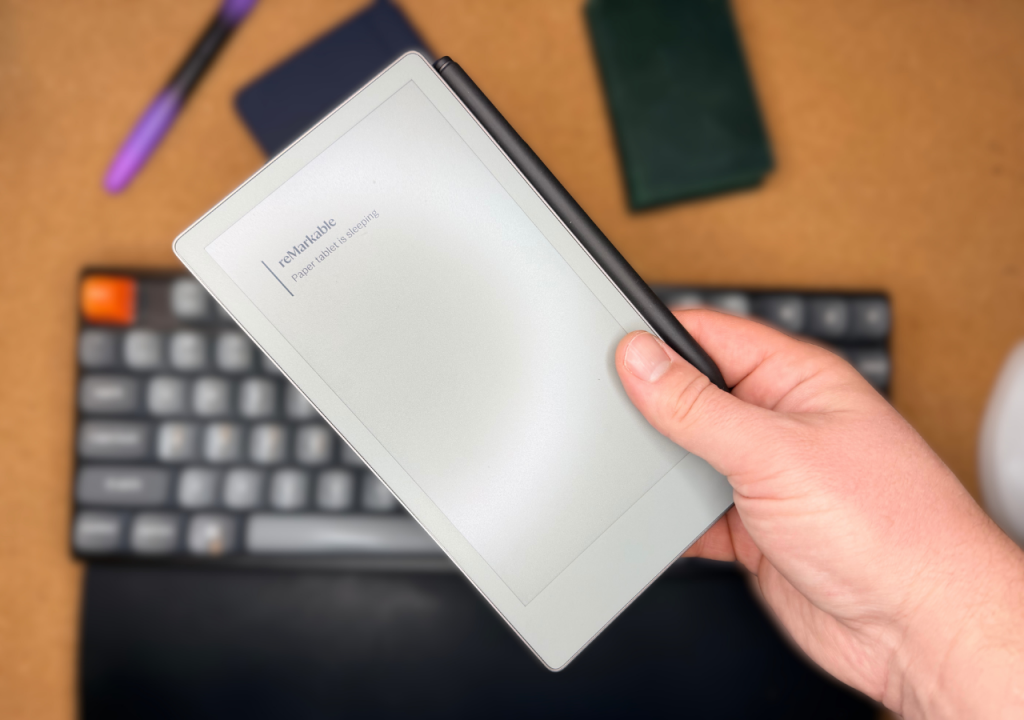
The reMarkable Paper Pro Move (Paid Link) is by far the best no-distraction digital notebook on the market today. There are no third-party apps, no ability expand its capabilities, and even reading books is difficult to do on this tablet. So if you are looking for something that is truly the best way to replace your notebooks, and that is it, the Move is the way to go.
Just like its bigger standard Paper Pro sibling, the Move has an amazing build quality, is incredibly thin, and has a pencil-like writing style (not pen-like). You’ll be right at home if you are someone who likes to write in smaller reporter-style notebooks. Its compact sizing fits well in my back pocket and is easily inserted into even the smallest of backpacks or even waist packs.
As for the software side, it’s incredibly well thought out, with folder systems that make sense, and more than enough notebook templates to choose from.
The only real downsides I found with this tablet are its speed; with the smaller sizing of this, they also lowered the processor level, leaving a bit more lag when opening larger documents than its bigger sibling. I also have a hard time recommending this eInk tablet to anyone who is looking to read books, as only DRM-free ePub books will work. No Kindle support here. You can also read my full review of this here.
2. Supernote Nomad
I get commissions for purchases made through links in this post.
- Everything is one place
- Drawing feels mostly like paper
- It's a really well-built unit
- The pen feels like something you want to use
- The clear back is cool
- The size is great
- The pen wobbles around in the folio
- The file system could be better

One of my biggest tech-related regrets was moving the Supernote Nomad out of my collection. If you are looking for a more pen-like feeling (rather than pencil-like) digital notebook with a bit more flexibility in its software than the Paper Pro Move, then the Nomad from Supernote is going to be your best bet.
While the Nomad (read my full review here) is a plastic-bodied tablet, it still feels high quality (not at a reMarkable level, but still). The sizing on it is fantastic, allowing for easy portability, and its Lamy-branded stylus is one of the best out there.
On the software side of things, it’s really quite well thought out. I would say you have more flexibility than a reMarkable with your pen types (even if it isn’t color), and it even has its own dedicated drawing application. Templates are plentiful, and it is also makes one of the best e-readers I’ve ever used, with its Kindle app support. You can even add more applications if you are willing to spend the hours it takes to learn how to sideload applications (I’ve never been able to figure it out).
The main downsides of this compact eInk notebook that I saw were that the file system wasn’t super intuitive, with it feeling a bit like an early thousands PC. The other thing I didn’t like was that the Lamy pen hangs out in an elastic strap on the side of the folio. This likes to flap around, instead of staying rigidly in place like the Paper Pro.
In the end, this is the perfect tablet for someone looking to replace not only their notebook and calendars, but their reading books as well.
3. reMarkable Paper Pro
I get commissions for purchases made through links in this post.
- The writing (drawing) experience is the best I've used
- Fantastic templates, with more possibilities
- The large display works well
- The front light is a welcome feature
- No access to the Kindle App
- This thing is a heavyweight
- It's incredibly expensive

If you are somebody that sketches, or are looking to primarily use your eInk digital notebook at a desk in a professional setting, the original Paper Pro (which I reviewed here) is hands down the best option for you. This thing is incredibly high-end, blazing fast, color eInk, front light, and has one of the best writing feels of any tablet (same as the Paper Pro Move) that I’ve ever used. Sure, it may be expensive, but it truly deserves it.
Just like the Move at the top of this list, it’s truly meant to be a notebook replacement, with the best templates of any tablet I’ve used, the best folder systems, and the best overall support. It can be purchased with a typing folio (unlike the Move), which allows for distraction-free typing (and it’s actually a good experience).
The front light on the tablet also means you can use it in low-light situations, unlike most other brands. Again, the main downside to this tablet is its lack of Kindle support, and it requires ePub books, again reiterating that this is truly a notebook replacement. The tablet also struggles with its size. While having the massive screen is nice, its premium build also means it’s heavy, meaning I found I left it at home much more often than its smaller sibling.
4. Supernote Manta
I get commissions for purchases made through links in this post.
- The best size for writing notes
- The writing experience is very pen-like and feels amazing.
- The new LAMY pens are nearly perfect
- Very thin for the size of the tablet
- The half folio is so much better
- I’m liking the operating system more every day
- Screen reflection is annoying
- Screen is darker than normal paper
- A bit too larger for smaller tech pockets, and has to live with your laptop
- It's crazy-expensive
- It isn’t great for reading Kindle while lying down or sitting on the couch
- A little more prone to damage

The Supernote Manta may look very different from its Nomad counterpart, with its curved design (which is made to look like a Mantaray), and thin body, it runs the identical software to the Nomad, just in a larger form factor. Personally, I’ve gone back and forth on whether I prefer the Nomad over the Manta on a weekly basis. However, regardless, the Manta is a truly awesome tablet.
The Manta (which I reviewed here) is perfect for creatives (both because of its size, but also dedicated drawing app) and people looking to truly replace all paper in their lives, not just notebooks. It does a fantastic job with calendars (due to its screen size), is well built for note-taking, and, of course, has Kindle support (even if the size of the tablet can be a bit annoying for reading while lying down). This thing will do it all in the end! The biggest drawback to the tablet, though, is that its capability it does add back in a lot of distractions (including email), making it a distraction on its own.
As for the writing experience, if you like a ball-point pen, you’ll like this one! It takes a day or two to get used to the “gummy” feel of the screen, but after that, it’s well worth it.
One thing that was noticeable during testing is the fact that the Manta (and Nomad from earlier) seems to have a darker screen overall. This means, in absence of any front lighting, it can be more difficult to read in lower light situations than a normal piece of paper would.
5. Penstar eNote 2
I get commissions for purchases made through links in this post.
- Fantastic home screen layout
- Open operating system allows for more apps
- Great price for what you get
- Side buttons almost make up for no touch support
- The stylus is lacking
- No touch support
- No front light support

At first glance, the Penstar eNote 2 looks like the underdog on this list. Okay, sure, I also have it lower on the list, howevr for the right person, this could be the best option (even over a tablet twice its price). The eNote 2 has an amazing price point, well lower than competitors. However, it comes with a much more open operating system, allowing for just about any Android app SDK to be installed, it has a much better home screen layout (it’s more like an Android phone), and has the easiest to read screen of any device.
This truly is the tablet I would recommend to someone that is not necessarily looking for a distraction-free environment, but wants an eInk device that gets them off their blue light-laden smartphone. I truly was very impressed with how this felt, especially when it came to reading.
Where the tablet struggles is its lack of front light and touchscreen capabilities. However, those two things also play into why it’s such a pleasure to read on as well. Both of them add layers to the screen, making it more difficult to read and write, and Penstar was willing to make those sacrifices. That said, on the touch side of things, the pen is easy to get to, and the side buttons do their best to give you shortcuts for just about anything you could need.
In the end, I think this tablet would do best for someone looking for less of a work-based eInk digital notebook (like the rest of the tablets), and this would be better for someone wanting an eInk tablet for fun and games.