I get commissions for purchases made through links in this post.
reMarkable gave me the new Paper Pro Move a little over a month ago now to test out, and I think its finally time to share exactly what I think about this compact notebook replacement. I’ve been testing eInk notebooks for a couple of years now, including the larger Paper Pro, but also from brands like Supernote, Penstar, and more, so I was excited to give this one a try. So let’s get right into it.
Jump to:
What is the reMarkable Paper Pro Move?
I get commissions for purchases made through links in this post.
- Its compact size is exactly what this premium tablet needed for most people
- The pricing is finally somewhat palpable
- They have the stylus (pen) down to an art now
- I struggle to recommend reMarkable to avid readers
- You can tell the processor speed isn’t as good as its larger sibling
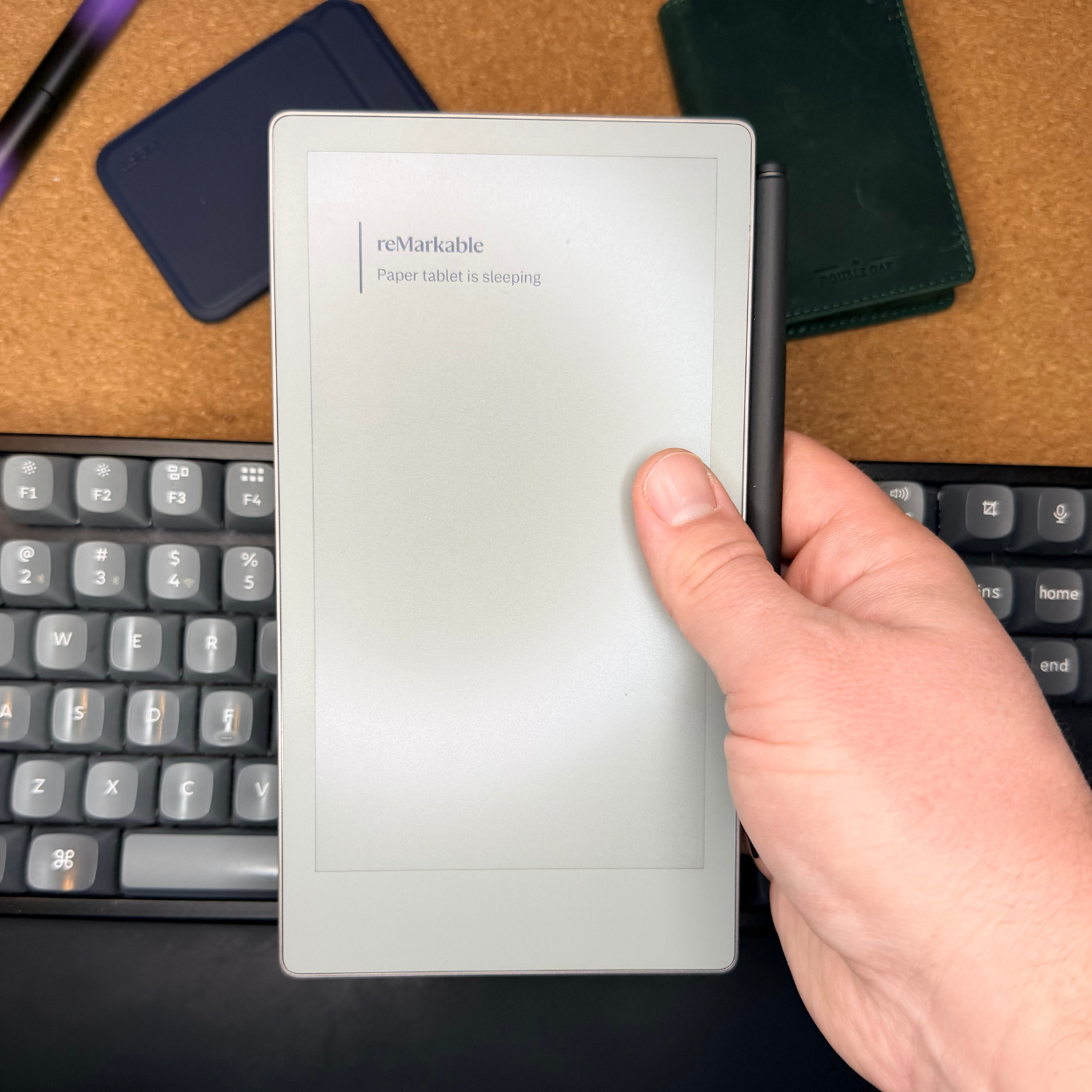
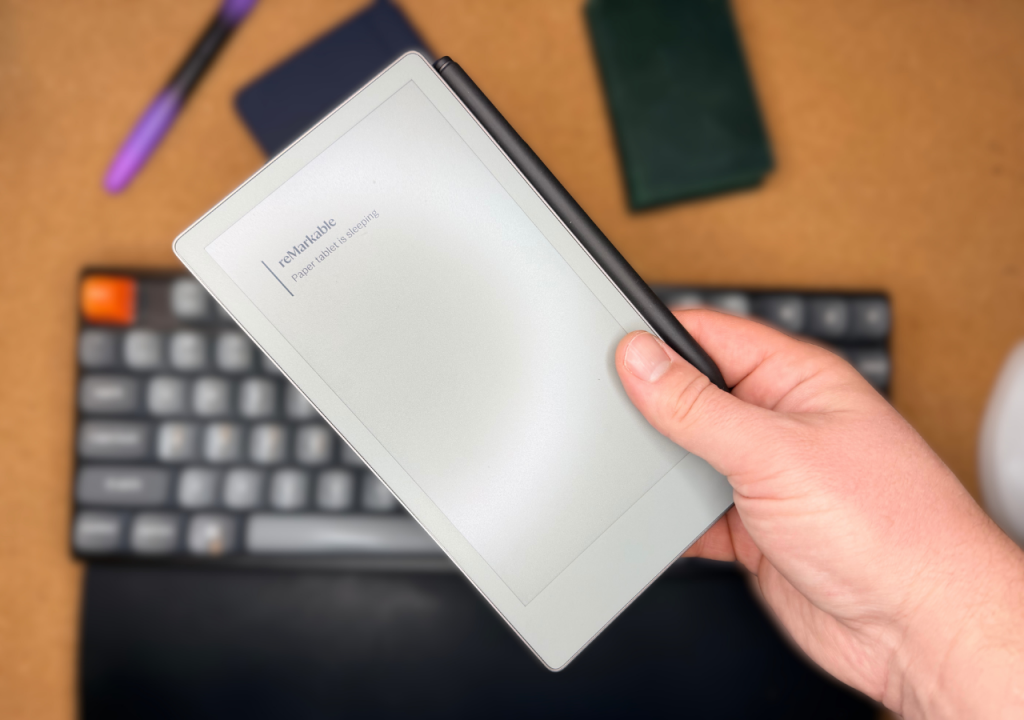
The reMarkable Paper Pro Move (Paid Link) is a 7.7” by 4.24” (the display itself is 7.3”) digital notebook. Its primary purpose is to replace your calendar and smaller notebooks with a tablet that offers flexibility of notebook types, and to be a much more portable variant of the bigger flagship standard reMarkable Paper Pro (which I also have reviewed here). This digital notebook offers an impressive, fast refresh rate eInk color display that can render over 20,000 colors (only about six of them are regularly used, unless you are reading color ePub books) and offers a variable front-lit screen.
The stylus offers 4,096 levels of sensitivity (similar to most competitors), and offers a more pencil-like feel to it (rather than ball point pen). When it comes to the 2,334 mAhm its advertised at a 2-week battery life. I generally charge it once a week with the persistent front light on, and it charges extremely quickly.
reMarkable Paper Pro vs. reMarkable Paper Pro Move
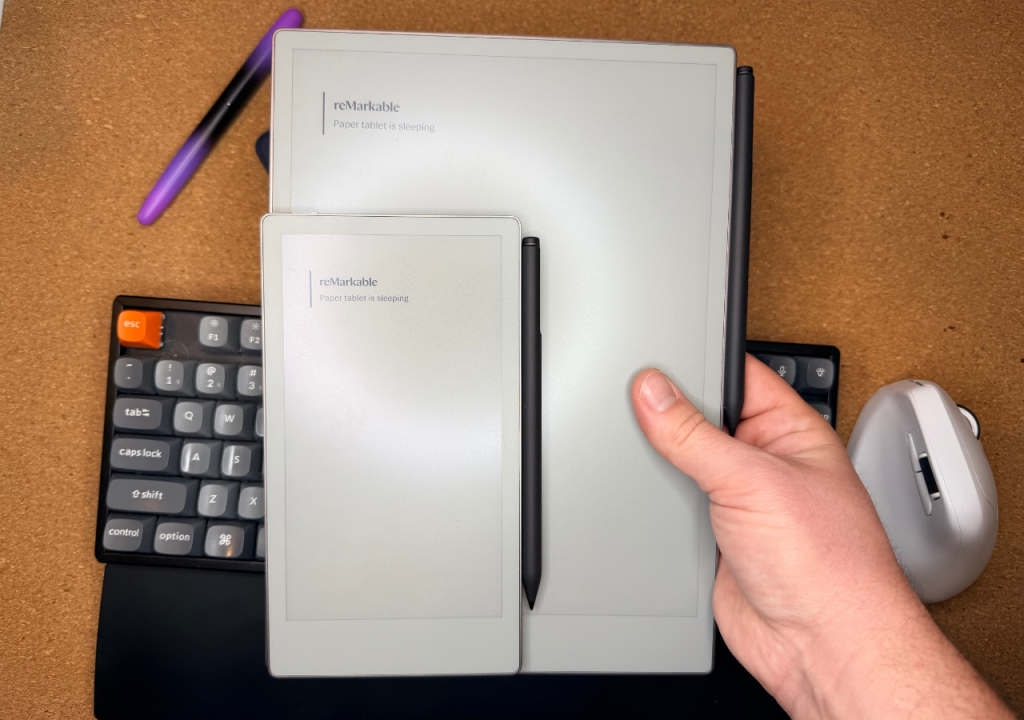
I want to start off the meat of this article with a quick comparison between the Paper Pro Move and the standard Paper Pro, as I’ll be making a lot of references to the larger sibling, as it’s been my daily driver for a while before this Move version was launched.
- Display: Paper Pro offers an 11.8-inch display, while the Paper Pro Move has a 7.3-inch display.
- Screen Density: The Paper Pro has a lower 229 PPI, the Paper Pro Move has a higher 264 PPI.
- Sizing: Paper Pro is larger, yet thinner than the Paper Pro Move.
- Keyboard Support: The Paper Pro can be purchased with a typing folio and allows for document typing. The Paper Pro Move is exclusively for writing with the stylus.
Outside of these differences, both tablets are identical.
What do I like about the reMarkable Paper Pro Move?
1. Its compact size is exactly what this premium tablet needed for most people
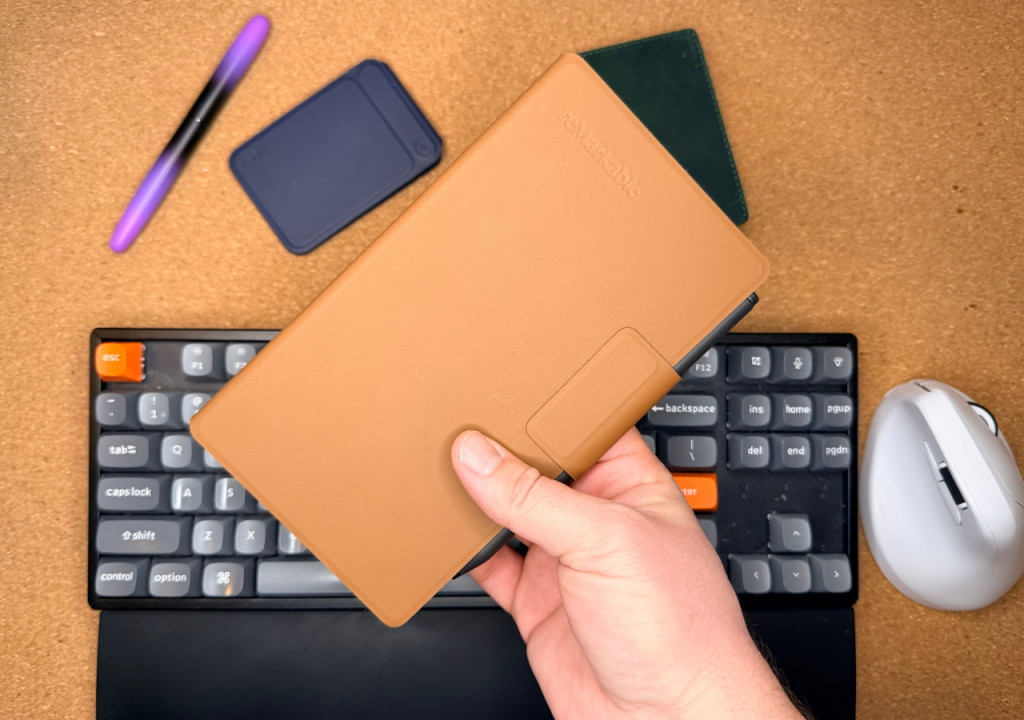
My biggest gripe with the standard Paper Pro was its massive size and weight. It was difficult to store in a 13L backpack, and its weight made you want to leave it at home instead of taking it to that meeting at Starbucks. The Move brings all of those same features that I liked from the bigger version, and made it smaller, and not just smaller, but lighter.
I found I had no problem taking this tablet with me to meetings, on my daily errands, or just about anywhere. In fact, it’s almost pocketable. I could easily slip it into my back pants pocket, and can put it in my front pockets if I really tried (wouldn’t recommend it though).
This means that for something you spent your hard-earned cash on, you get to actually use it more than you would otherwise. It also means you spend less time taking your notes on your phone, only to transcribe them later onto your tablet, which is really where you want them.
2. The build quality is very impressive
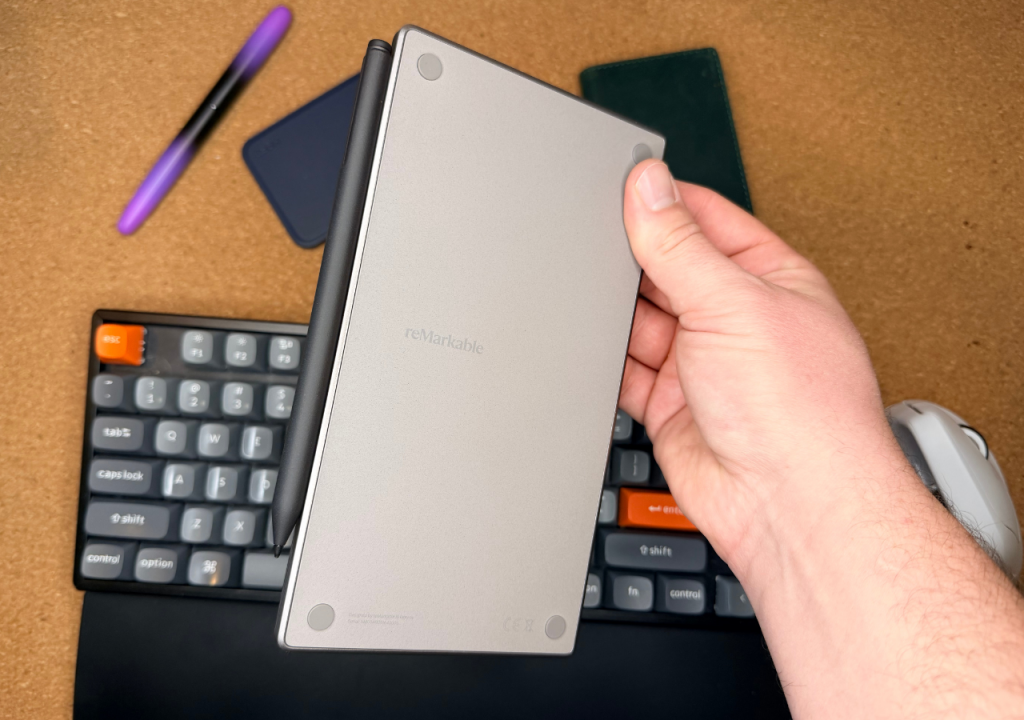
One thing that is extremely well thought out with this device is its quality. The moment you take it out of the packaging, it just has an impressive feel about it. I’d make it akin to something like unboxing the latest iPhone. To top this off, with the magnetic folios that they offer and the well-thought-out magnetic stylus, it feels like something you want to carry with you all the time. I’ve found that it’s not only a nice feeling, but it’s also durable, with no visible wear and tear to the unit over the past month of testing it out.
3. Some of the industry’s best templates
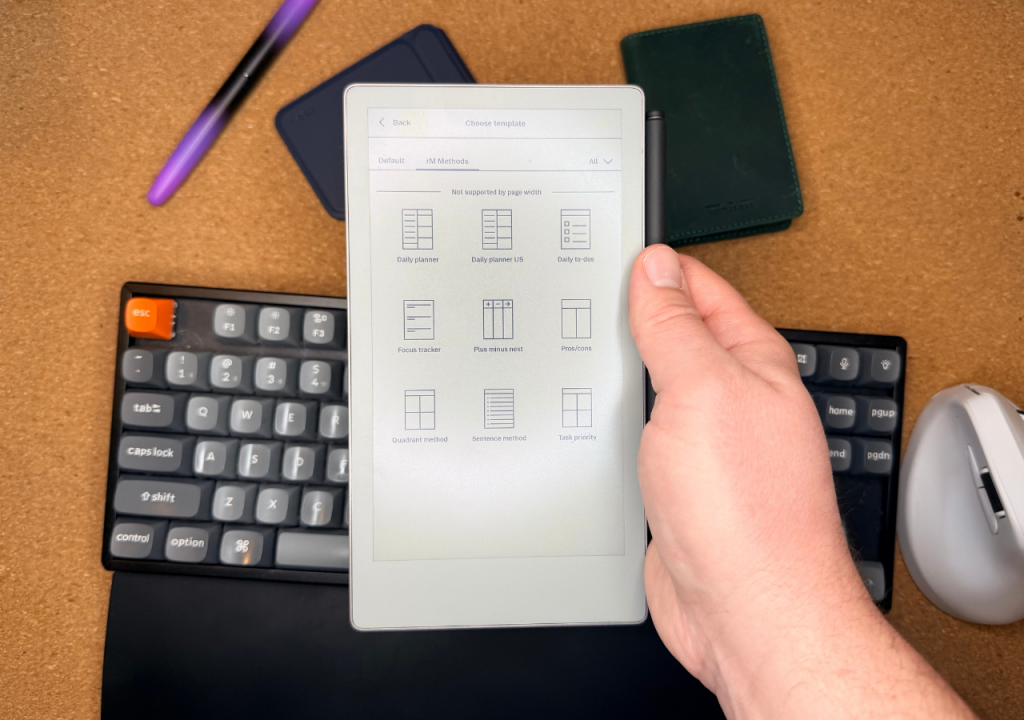
Everything is fine and dandy with an eInk digital notebook, but if you don’t have quality templates to go along with it, you’re not going to get very far. reMarkable has done an amazing job (Paid Link) with their built-in templates, which offer a variety of to-do lists, lined paper, dotted paper, and more. Then they also offer expanded options with their paid service (yes, yes, I know) that allow for even more options, including some third-party options like calendars and even a bullet journal.
The only manufacturer I’d say compares in template flexibility is Supernote with their Manta and Nomad when it comes to this.
4. The pricing is finally somewhat palpable
The Paper Pro Move isn’t a cheap tablet, but it also isn’t nearly as crazy expensive as the standard larger version. You still get all the same premium features (high-end metal body, great stylus, front lighting, the software, etc.), but in a smaller package and at a much lower price point, since the price is $180 cheaper (at the time of this writing). With other much lower-end feeling tablets only being slightly lower than the Paper Pro Move (even if they are larger), it makes the Paper Pro Move a much more compelling option.
5. They have the stylus (pen) down to an art now
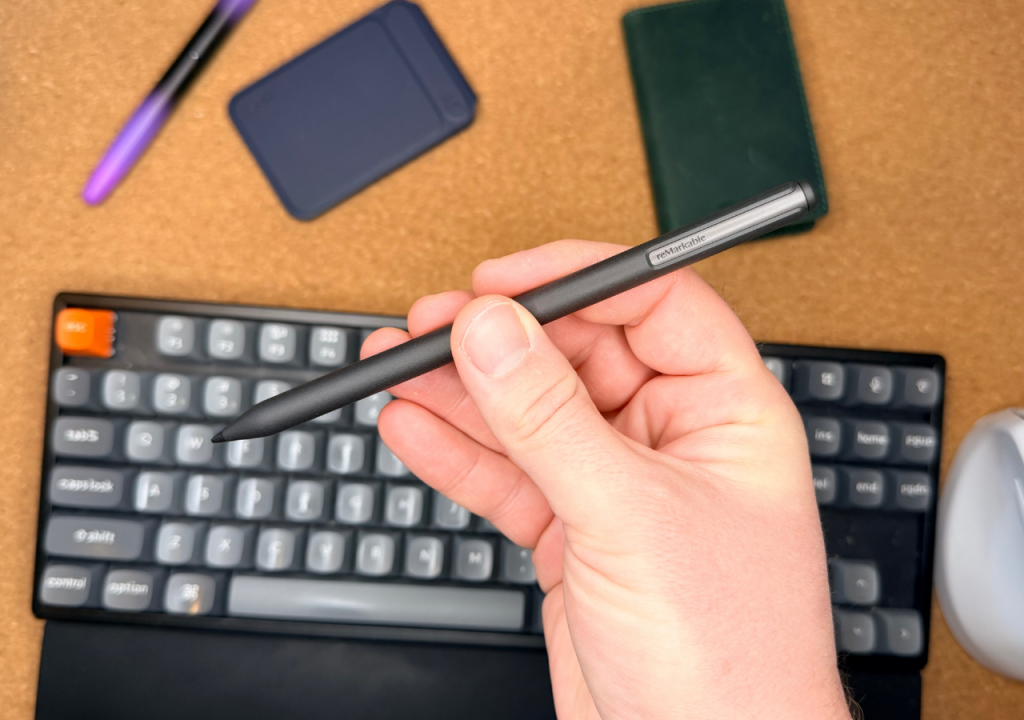
I’ve used plenty of different stylus/pens from the different digital notebooks that I have reviewed, and the reMarkable Paper Pro Move (and the standard version – which by the way is backwards compatible with the Move) just feels right. It has a grippy, textured surface that easily stays in the hand without slipping, and its just the right thickness to feel like a more comfortable pencil.
The only issue I have with these styluses is the eraser. Whether it’s the Move or the standard version, it likes to lag on me every time I switch from the stylus to the eraser, and the eraser even sometimes glitches and acts like a stylus (draws instead of erases).
What do I not like about it?
1. I struggle to recommend reMarkable to avid readers
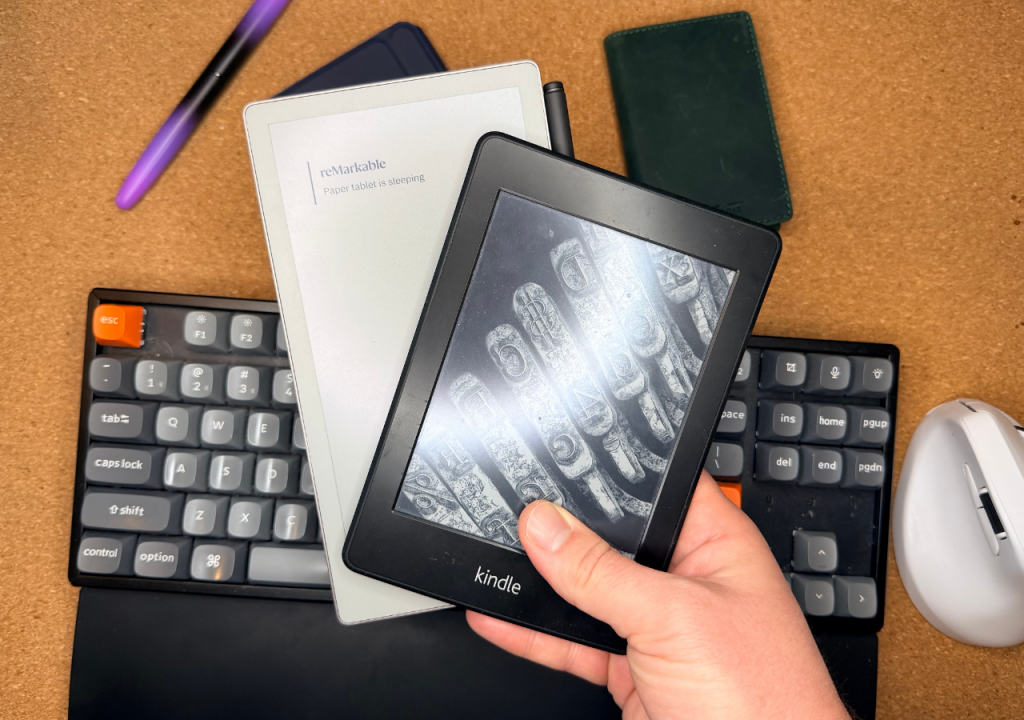
The BIGGEST issue I have with any reMarkable product comes down to its lack of easy reading. Sure, I totally understand that the DRM on Kindle books means that they are not technically your books, and can be removed from your library in the blink of an eye. However, if you take a quick look at the ebook industry, you won’t find ANY good alternatives that offer DRM-free ePub file books, or at least ones I’m confident are legally purchasable.
That means that Kindle is still the dominant and best player in my mind, and reMarkable just doesn’t offer that. This means that I have to carry a Kindle, or a direct competitor to the Paper Pro move just so that I can read my books, which is a bummer, considering just how good the reMarkable Paper Pro Move really is.
2. You can tell the processor speed isn’t as good as its larger sibling
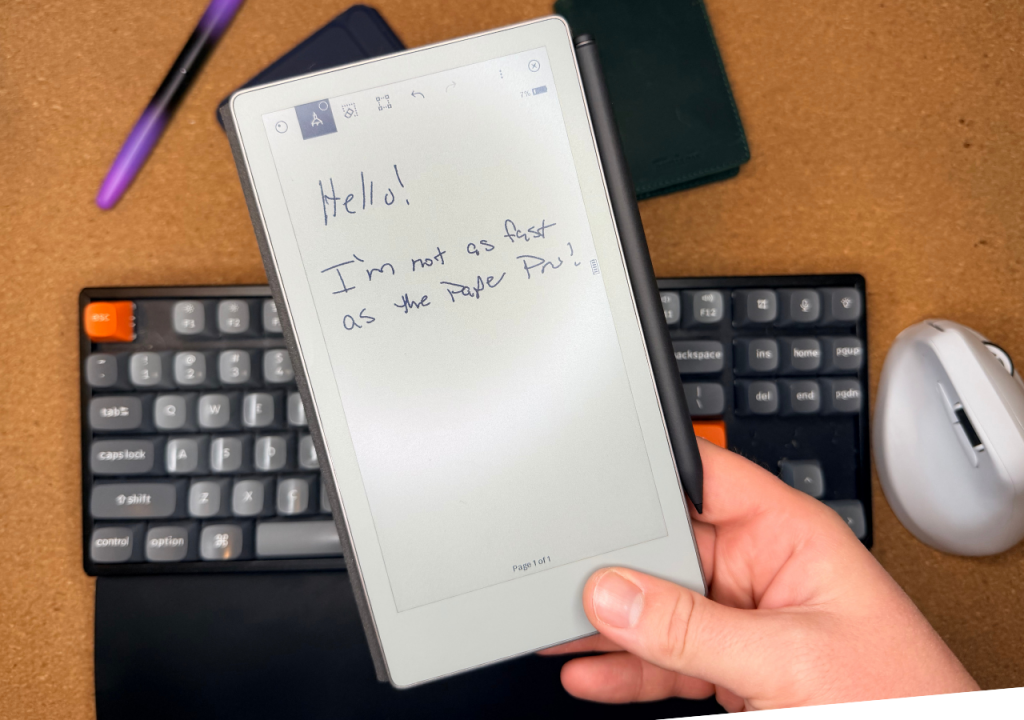
Once I got past the setup stages of the Paper Pro Move, I instantly could tell that the processing power of the Move was much lower than the bigger version that I was daily driving at the time. It struggled to import the files from my account, and I also regularly have it glitch on larger documents (like the yearly calendar template) when I switch from one day to the next. It’ll pretend like it’s not turning pages, so you attempt multiple times, only for it to load all of your inputs at once, meaning you then have to retrace your steps to earlier pages.
Who is it for?
While the reMarkable Paper Pro Move’s bigger version (same name without the “Move”) is meant for people looking to use this in a professional setting, the “Move” version is much more at home as a small notebook that you keep with you in your day-to-day routine. This means it’s perfect for content creators, reporters, contractors, plumbers, or anyone who might not spend a large portion of their day at the desk, but still wants a great way to store notes in the cloud, and not have to be on their smartphone all day.
So, who is the reMarkable Paper Pro Move it not for? While those that might be interested in eInk digital notebooks will likely find its limitations in regard to added functionality like reading software, calendars and more. It just also isn’t for someone who isn’t a die-hard note taker. Instead, you’ll want to look elsewhere.
Where should you buy it?
I get commissions for purchases made through links in this post.
- Its compact size is exactly what this premium tablet needed for most people
- The pricing is finally somewhat palpable
- They have the stylus (pen) down to an art now
- I struggle to recommend reMarkable to avid readers
- You can tell the processor speed isn’t as good as its larger sibling